What if your strongest encryption is also your biggest blind spot? Most enterprise threats now hide inside SSL/TLS traffic, where traditional security tools cannot inspect them without decryption.
Decrypting TLS for security inspections is no longer optional for organizations that need to detect malware, data exfiltration, shadow IT, and policy violations across encrypted channels.
But the wrong approach can break applications, weaken privacy, overload infrastructure, or create new compliance risks. The best methods balance visibility, performance, user trust, and strict control over what gets decrypted.
This article explains the most effective ways to decrypt SSL/TLS traffic safely, where each method fits, and how to build an inspection strategy that strengthens security without undermining encryption itself.
What SSL/TLS Decryption Means for Security Inspection and When It Is Justified
SSL/TLS decryption allows a security gateway, firewall, or proxy to inspect encrypted HTTPS traffic before it reaches users or cloud applications. In practice, this means tools such as Palo Alto Networks, Fortinet FortiGate, Zscaler, or Cisco Secure Firewall temporarily decrypt traffic, scan it for malware, data loss, phishing payloads, or command-and-control activity, then re-encrypt it.
It is justified when the security benefit clearly outweighs the privacy and operational cost. For example, a finance company may decrypt outbound web traffic from managed laptops to detect credential theft, ransomware downloads, or sensitive customer data being uploaded to unsanctioned file-sharing services.
Good use cases include:
- Inspecting corporate devices accessing the internet, SaaS platforms, or cloud storage
- Detecting hidden malware, malicious scripts, and data exfiltration inside HTTPS sessions
- Enforcing compliance requirements for regulated industries such as healthcare, banking, and insurance
However, SSL inspection should not be applied blindly. Most mature security teams exclude banking portals, personal email, healthcare sites, government services, and employee privacy categories to reduce legal risk and avoid breaking certificate pinning in mobile apps.
A practical approach is to start with a limited policy: decrypt high-risk categories, unknown domains, and business-critical traffic first, then monitor helpdesk tickets, application failures, and firewall logs. This gives security teams the benefits of encrypted traffic inspection without turning the network into a source of user friction or compliance exposure.
How to Decrypt SSL/TLS Traffic Safely Using Proxy Inspection, Session Key Logging, and Network Sensors
Safe SSL/TLS decryption starts with scope, consent, and tight access control. In enterprise security inspections, the most common approach is proxy-based SSL inspection through a secure web gateway, next-generation firewall, or dedicated SSL inspection appliance such as Palo Alto Networks, Fortinet FortiGate, or Zscaler.
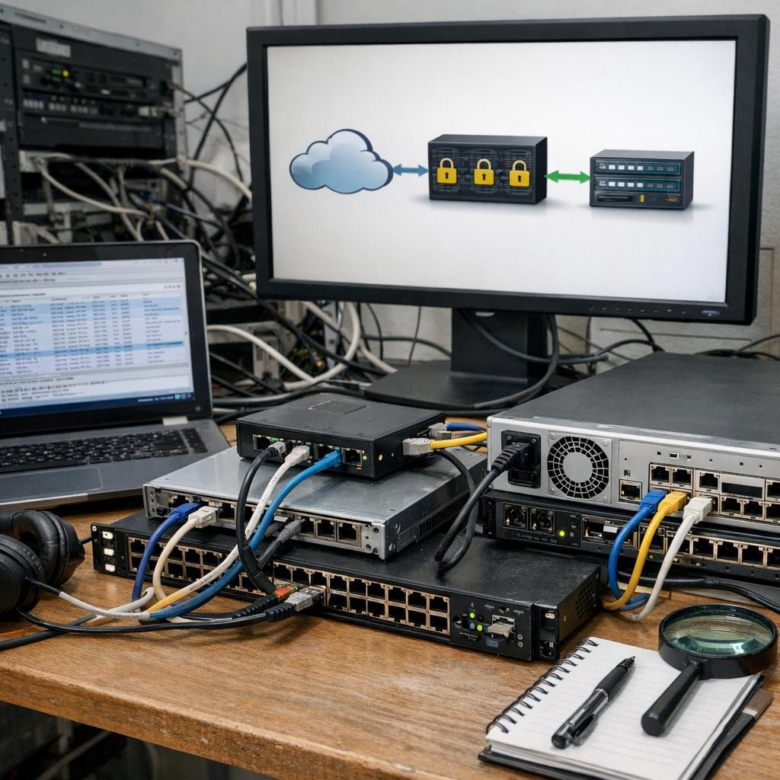
With proxy inspection, the device acts as a trusted intermediary, decrypts traffic, applies malware detection, data loss prevention, or threat intelligence checks, then re-encrypts the session. A practical rule is to exempt sensitive categories such as banking, healthcare portals, and personal email unless your legal and compliance teams approve deeper inspection.
- Proxy inspection: Best for user web traffic, cloud application security, phishing detection, and compliance monitoring.
- Session key logging: Useful in labs or incident response when endpoints can export TLS keys to tools like Wireshark.
- Network sensors: Best for metadata analysis, certificate monitoring, JA3 fingerprinting, and threat hunting without full content decryption.
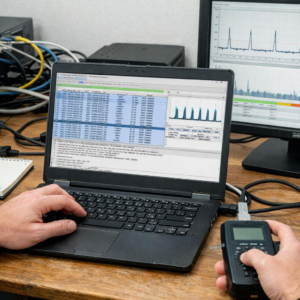
For example, during a ransomware investigation, a security team may enable TLS session key logging on an infected test workstation, capture packets with Wireshark, and review command-and-control traffic safely in an isolated environment. This avoids weakening encryption across the whole company while still giving analysts the evidence they need.
In real deployments, I’ve seen the best results when SSL inspection is phased in by department, starting with low-risk groups before expanding. Document exclusions, monitor performance cost, rotate inspection certificates, and restrict decrypted packet access to trained security staff only.
Common SSL/TLS Inspection Mistakes That Break Security, Privacy, or Performance
One of the most common mistakes is decrypting everything without a clear SSL inspection policy. Banking portals, healthcare platforms, legal services, and personal email often require bypass rules for privacy and compliance. In enterprise environments, I’ve seen teams create unnecessary legal risk simply because their firewall was set to inspect all HTTPS traffic by default.
Another serious issue is using weak certificate management. If the internal root CA is poorly protected, expired, or deployed inconsistently, users will see browser warnings and may start ignoring certificate errors. That defeats the purpose of secure web gateway protection and can increase exposure to phishing, credential theft, and man-in-the-middle attacks.
- Not excluding certificate-pinned apps, which can break mobile banking, Microsoft 365, or endpoint security agents.
- Undersizing firewalls or proxies, causing latency, dropped sessions, and poor SaaS performance.
- Failing to log inspection decisions, making compliance audits and incident response harder.
Performance planning matters. SSL/TLS decryption is CPU-intensive, especially with TLS 1.3, cloud applications, and large remote workforces. Platforms like Palo Alto Networks, Fortinet, Zscaler, and Blue Coat/Symantec ProxySG can handle inspection well, but only when sized correctly for throughput, concurrent sessions, and decryption load.
A practical example: a company enables SSL inspection for all traffic and suddenly Zoom calls, CRM access, and software updates slow down. The fix is not to disable inspection completely, but to tune categories, apply risk-based decryption, bypass trusted update services, and inspect high-risk destinations such as unknown domains, file-sharing sites, and newly registered URLs.
Final Thoughts on Best Methods for Decrypting SSL/TLS Traffic for Security Inspections
Conclusion: SSL/TLS decryption is most effective when treated as a risk-based control, not a default setting. The right method depends on traffic sensitivity, regulatory exposure, user privacy expectations, and the inspection depth required.
Organizations should decrypt where it improves threat visibility, exempt where privacy or compliance demands it, and continuously validate policies as applications and encryption standards evolve. A balanced approach-combining selective decryption, strong certificate management, clear governance, and monitoring-delivers security value without creating unnecessary operational or legal risk.