Learning Photoshop first might be the slowest way to become a better photo editor.
For most photographers, the real decision isn’t which tool is “more powerful”-it’s which one helps you improve faster without drowning you in features you don’t need yet.
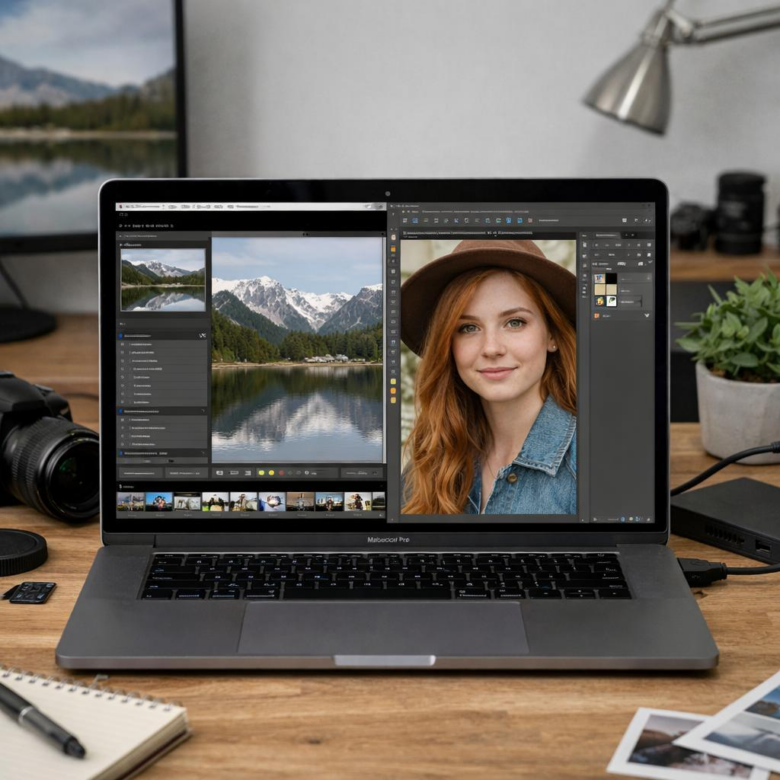
Lightroom is built for organizing, color grading, and editing large batches of photos quickly. Photoshop is built for precision retouching, compositing, and pixel-level control.
In this guide, you’ll learn the practical difference between Lightroom and Photoshop, when each one matters, and which photo editing tool you should learn first based on your goals.
Lightroom vs Photoshop: Core Differences Every Beginner Should Understand
Adobe Lightroom is built for organizing, correcting, and exporting large batches of photos, while Adobe Photoshop is designed for detailed image manipulation and advanced retouching. If you shoot RAW files from a DSLR, mirrorless camera, or even a high-end smartphone, Lightroom helps you manage exposure, color, lens corrections, presets, and cloud storage in one smooth workflow.
Photoshop is more precise but also more complex. It is the better choice when you need to remove distracting objects, combine multiple images, edit product photos for an online store, or create graphics for ads, thumbnails, and social media campaigns.
- Lightroom: best for photo organization, batch editing, color grading, presets, and fast client delivery.
- Photoshop: best for skin retouching, background removal, compositing, layers, and pixel-level edits.
- Cost consideration: both are often included in Adobe Creative Cloud photography plans, so the real decision is workflow, not just price.
A real-world example: if you photograph a wedding, Lightroom is where you would sort thousands of images, apply consistent edits, and export galleries quickly. But if the couple wants a distracting exit sign removed from one hero portrait, Photoshop is the tool that gives you the control to do it cleanly.
The simplest way to think about it is this: Lightroom improves photos efficiently; Photoshop changes photos deeply. Most beginners benefit from learning Lightroom first because it builds strong editing habits before moving into more advanced Photoshop services and professional retouching work.
When to Use Lightroom First: Photo Organization, Batch Editing, and Fast Workflow
Start with Adobe Lightroom if your main challenge is handling lots of photos quickly. It is built for importing, organizing, rating, editing, exporting, and backing up large image libraries, which makes it ideal for wedding photography, real estate photography, travel shoots, product catalogs, and social media content.
The biggest advantage is speed. You can apply one edit to a RAW file, save it as a preset, then sync the same color correction, exposure adjustment, lens correction, and noise reduction across hundreds of images in minutes.
For example, a real estate photographer can import an entire property shoot, flag the best angles, correct white balance, straighten vertical lines, and export MLS-ready images without opening each file separately. That kind of workflow saves billable time and reduces editing costs, especially if you deliver high-volume client work.
- Use Lightroom first when you need photo organization, keyword tagging, and searchable catalogs.
- Use it for batch editing RAW photos with consistent color grading and exposure.
- Use Lightroom cloud storage or Lightroom Classic if you want a reliable archive for client projects.
In real-world editing, Lightroom is often the “control center” before Photoshop. You clean up the full shoot, export selects, and only send problem images to Photoshop for detailed retouching, background removal, or composites.
If your goal is a faster professional photo editing workflow, Lightroom is usually the smarter first tool to learn.
When Photoshop Becomes Essential: Retouching, Compositing, and Advanced Image Control
Lightroom is excellent for global edits, but Adobe Photoshop becomes essential when you need pixel-level control. If you are removing distracting objects, fixing skin texture, replacing a background, or combining multiple images, Photoshop gives you tools that Lightroom simply cannot match.
A real-world example: a wedding photographer may use Lightroom to color-correct 800 images, then open 20 key portraits in Photoshop to remove flyaway hair, clean up skin, fix clothing wrinkles, or remove a sign from the background. That extra retouching time can directly affect the perceived value of a premium photography package.
Photoshop is especially useful for:
- Professional photo retouching for portraits, beauty, fashion, and product photography
- Compositing, such as sky replacement, creative advertising images, or real estate photo editing
- Advanced image repair using layers, masks, Generative Fill, Clone Stamp, and Healing Brush tools
The biggest advantage is non-destructive precision. With layers and masks, you can adjust one part of an image without damaging the original file, which matters when working for clients, printing large wall art, or preparing commercial images for websites and online stores.
If your goal is fast editing, start with Lightroom. But if you want to offer high-end retouching services, create digital art, edit product photos for eCommerce, or handle complex client requests, learning Photoshop is not optional. It is the tool that turns a good edit into a controlled, professional final image.
Summary of Recommendations
Start with Lightroom if your goal is to become faster and more consistent with everyday photography. It will teach you the editing fundamentals that matter most: exposure, color, organization, and workflow.
Choose Photoshop first only if your work depends on detailed retouching, composites, graphic edits, or pixel-level control. For most beginners, the smartest path is simple: learn Lightroom first, then add Photoshop when you hit its limits. That order builds confidence quickly while giving you a clear reason to learn the more advanced tool later.