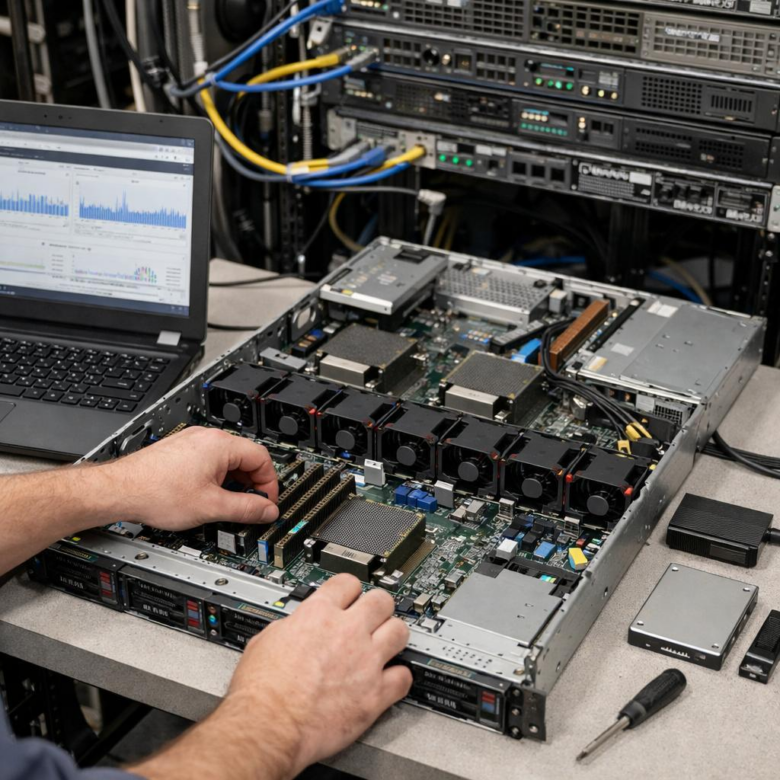
What if your database bottleneck isn’t the workload-but the way your bare metal server is tuned?
High-traffic database applications demand more than powerful hardware; they require precise alignment between CPU, memory, storage, networking, and the database engine itself.
Unlike virtualized environments, bare metal gives you full control over performance-critical layers-but that control only pays off when every component is configured to reduce latency, prevent contention, and sustain throughput under pressure.
This guide explains how to optimize bare metal servers for demanding database workloads, from hardware selection and kernel tuning to storage layout, network performance, and database-specific configuration.
What High-Traffic Database Workloads Require from Bare Metal Server Infrastructure
High-traffic database applications need bare metal infrastructure that delivers predictable performance under pressure, not just impressive CPU specs on paper. The biggest requirements are low-latency storage, high memory capacity, fast networking, and enough CPU headroom to handle spikes without throttling queries or delaying transactions.
For workloads like ecommerce checkout systems, SaaS analytics dashboards, financial trading platforms, or high-volume WordPress databases, storage performance is often the first bottleneck. NVMe SSDs, hardware RAID where appropriate, and enterprise-grade drives with strong write endurance are usually better investments than simply adding more cores.
- Storage: Use NVMe drives for write-heavy databases such as MySQL, PostgreSQL, or MongoDB.
- Memory: Size RAM so hot indexes and frequently accessed data stay in memory instead of hitting disk.
- Network: Choose 10Gbps or higher ports when replication, backups, or application traffic are heavy.
In real deployments, I’ve seen database servers slow down not because the database engine was poorly configured, but because backups, replication traffic, and application queries were all competing on the same network interface. Monitoring with tools like Percona Monitoring and Management or Prometheus can reveal whether the issue is disk IOPS, CPU wait, memory pressure, or network saturation.
A well-planned bare metal server should also support growth without expensive emergency migrations. That means choosing a provider with flexible dedicated server upgrades, remote management, DDoS protection, private networking, and reliable backup storage options, because database downtime is rarely just a technical problem-it quickly becomes a revenue problem.
How to Tune CPU, Memory, Storage, and Network Performance for Database Throughput
Database throughput depends on removing the slowest bottleneck, not simply buying the biggest bare metal server. Start with monitoring from Percona Monitoring and Management, Prometheus, or iostat to confirm whether the workload is CPU-bound, memory-starved, storage-limited, or waiting on network latency.
For CPU tuning, choose high-clock processors for OLTP databases such as MySQL, PostgreSQL, and SQL Server, where fast single-thread performance often matters more than core count. Pin critical database processes to NUMA-local CPUs when possible, and disable aggressive power-saving modes in BIOS because frequency scaling can create inconsistent query response times.
- Memory: Size the buffer pool or shared buffers so hot data stays in RAM, but leave enough memory for the operating system page cache and background services.
- Storage: Use enterprise NVMe SSDs with low-latency write performance, separate transaction logs from data files, and verify real IOPS with fio instead of relying on vendor claims.
- Network: Use 10GbE or faster networking, enable jumbo frames only after end-to-end testing, and keep application servers close to the database to reduce latency.
A practical example: in one high-traffic ecommerce setup, moving PostgreSQL WAL files to a dedicated NVMe drive reduced write contention during checkout spikes more effectively than adding extra CPU cores. That kind of targeted database performance tuning usually lowers infrastructure cost while improving stability.
Also review kernel and filesystem settings. XFS is often a strong choice for database servers, while tuned profiles, queue depth settings, and proper RAID controller cache configuration can make a noticeable difference in dedicated server hosting environments.
Common Bare Metal Database Optimization Mistakes That Cause Latency, Locking, and Downtime
One of the most expensive mistakes is treating a bare metal database server like a generic web server. High-traffic MySQL, PostgreSQL, and SQL Server workloads need tuned storage, memory, networking, and backup settings; otherwise, small configuration gaps become slow queries, lock waits, and unplanned downtime during peak traffic.
A common real-world example is placing a busy transactional database on large SATA drives because the server “has enough capacity.” Capacity is not the same as IOPS. For payment systems, SaaS platforms, and ecommerce databases, NVMe SSD storage, proper RAID configuration, and a battery-backed RAID controller can make a noticeable difference in write latency and recovery safety.
- Ignoring slow query analysis: Use tools like Percona Monitoring and Management or pg_stat_statements to find expensive queries before adding more hardware.
- Overallocating memory blindly: Setting buffer pools or shared buffers too high can starve the OS page cache and cause swapping, which is disastrous for database performance.
- Running backups at the wrong time: Full backups during business hours can saturate disk I/O and network bandwidth, especially without incremental backup software or dedicated backup storage.
Another mistake is skipping lock monitoring. I’ve seen production systems where one unindexed reporting query blocked checkout transactions, and the team blamed the dedicated server hosting provider instead of the schema design. Index reviews, connection pooling, and transaction timeout settings are often cheaper than emergency server upgrades.
Finally, do not neglect firmware updates, redundant power, offsite backups, and database monitoring alerts. Bare metal infrastructure gives excellent performance control, but it also makes maintenance discipline non-negotiable.
Expert Verdict on How to Optimize Bare Metal Servers for High-Traffic Database Applications
Optimizing bare metal for high-traffic databases is ultimately a business decision as much as a technical one. The right architecture should deliver predictable latency, clear scaling paths, and enough operational control to prevent bottlenecks before they affect users.
Practical takeaway: invest first in workload visibility, then tune hardware, storage, networking, and database configuration around real traffic patterns-not assumptions. Choose bare metal when performance consistency, data control, and long-term efficiency matter more than instant elasticity. For growing database platforms, the best setup is not the most powerful server; it is the one engineered to stay fast under pressure.