What if the malware you’re hunting never touches the disk?
Fileless malware lives in memory, abuses trusted processes, and often disappears when a system reboots-making traditional antivirus logs and file scans dangerously incomplete.
Memory forensics gives investigators a direct view of running processes, injected code, network artifacts, credentials, command history, and attacker tradecraft hidden in RAM.
This step-by-step guide shows how to acquire, preserve, analyze, and interpret memory evidence so you can detect fileless threats before they vanish.
What Memory Forensics Reveals About Fileless Malware That Disk Scans Miss
Fileless malware is dangerous because it often leaves little or nothing for traditional antivirus disk scans to inspect. Instead of dropping a clear executable on the hard drive, it may run inside PowerShell, WMI, a browser process, or a trusted Windows service. Memory forensics helps uncover what is actually running, not just what is stored.
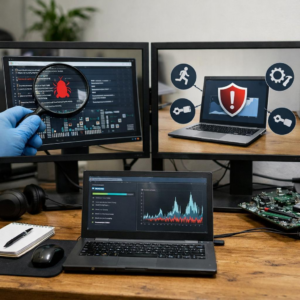
In a real incident, a workstation may look clean after an endpoint security scan, but a memory image can reveal a hidden PowerShell command decoding a payload in RAM. Tools like Volatility, Magnet AXIOM Cyber, or Velociraptor can help analysts identify suspicious process behavior, injected code, and network connections that never appear as normal files.
- Process injection: malware hiding inside legitimate processes such as explorer.exe or svchost.exe.
- Command history: encoded PowerShell, rundll32, or mshta activity used to launch attacks.
- Live connections: command-and-control traffic, unusual ports, and remote IP addresses tied to active compromise.
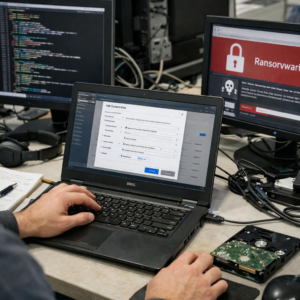
One practical advantage is speed during incident response. If a business suspects ransomware preparation or credential theft, memory analysis can show whether tools like Mimikatz, Cobalt Strike beacons, or malicious scripts were active before encryption or data theft occurred.
Disk scanning still matters, but it is only part of enterprise cybersecurity. For managed detection and response teams, digital forensics consultants, and security operations centers, memory forensics provides evidence that endpoint protection platforms may miss-especially when attackers use legitimate admin tools to stay quiet.
How to Capture and Analyze RAM Images for Fileless Malware Indicators
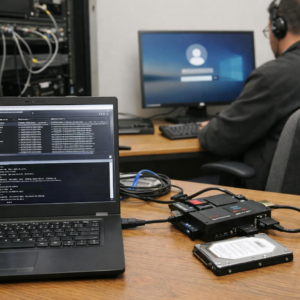
Start by capturing memory before shutting down or isolating the endpoint too aggressively, because fileless malware often lives only in active processes, PowerShell runspaces, injected code, and network sessions. Use trusted tools such as Magnet RAM Capture, Belkasoft RAM Capturer, FTK Imager, or WinPmem, and save the image to an external encrypted drive with enough free space for the full RAM size.
Document the hostname, logged-in user, system time, IP address, tool version, and hash of the acquired image. In real incident response work, this small chain-of-custody step saves hours later, especially when findings must support cyber insurance claims, legal review, or a managed detection and response investigation.
- Look for suspicious PowerShell commands, encoded payloads, and AMSI bypass strings.
- Check process injection, hidden handles, unsigned modules, and abnormal parent-child process trees.
- Review live network connections tied to unusual processes such as rundll32.exe, regsvr32.exe, or wscript.exe.
Analyze the image with Volatility 3 using plugins such as windows.pslist, windows.pstree, windows.netscan, windows.malfind, and windows.cmdline. For example, a workstation that looks clean in antivirus logs may reveal an injected PowerShell process communicating with a cloud VPS, with no malicious file left on disk.
Prioritize findings that connect behavior across memory, endpoint security alerts, firewall logs, and EDR telemetry. A single suspicious string is weak evidence, but injected memory plus an outbound connection plus obfuscated command-line activity is a strong fileless malware indicator.
Advanced Detection Strategies and Common Memory Forensics Mistakes to Avoid
Advanced memory forensics is less about finding one obvious indicator and more about correlating weak signals. In real incident response work, fileless malware often appears as suspicious PowerShell activity, injected code inside legitimate processes, or abnormal network connections from trusted binaries such as svchost.exe or explorer.exe.
Use tools like Volatility, Velociraptor, or Microsoft Defender for Endpoint to compare process trees, command-line arguments, loaded DLLs, handles, and active sockets. For example, if a user’s workstation shows powershell.exe launched by Microsoft Office with encoded commands and an outbound connection to an unknown VPS provider, that is a strong lead even if no malicious file exists on disk.
- Correlate memory findings with EDR alerts, DNS logs, firewall logs, and Windows Event Logs.
- Hunt for process injection using indicators such as unusual memory permissions, hidden modules, and mismatched parent-child processes.
- Preserve volatile evidence first; rebooting too early can destroy the only proof of compromise.
A common mistake is relying only on signature-based antivirus results. Fileless attacks often abuse legitimate administration tools, so threat hunting should include behavioral analysis, endpoint security telemetry, and timeline reconstruction.
Another mistake is collecting memory without documenting the system state, time zone, logged-in users, and active network connections. These details matter when preparing a cyber incident report, estimating breach impact, or working with managed detection and response services.
Finally, avoid analyzing memory in isolation. The best results come from combining RAM artifacts with cloud security logs, SIEM data, and endpoint protection alerts to separate normal business activity from real malicious execution.
Expert Verdict on Step-by-Step Guide to Memory Forensics for Detecting Fileless Malware
Memory forensics turns volatile evidence into actionable security decisions. For fileless malware, the key takeaway is to treat RAM analysis as a frontline capability, not a last resort after disk-based tools fail.
- Use it when endpoints show abnormal behavior but traditional scans find nothing.
- Prioritize fast acquisition, clean chain of custody, and repeatable analysis workflows.
- Invest in skills and tooling that help distinguish malicious activity from normal system noise.
The right decision is clear: organizations that expect stealthy attacks should make memory forensics part of incident response, threat hunting, and post-compromise validation.