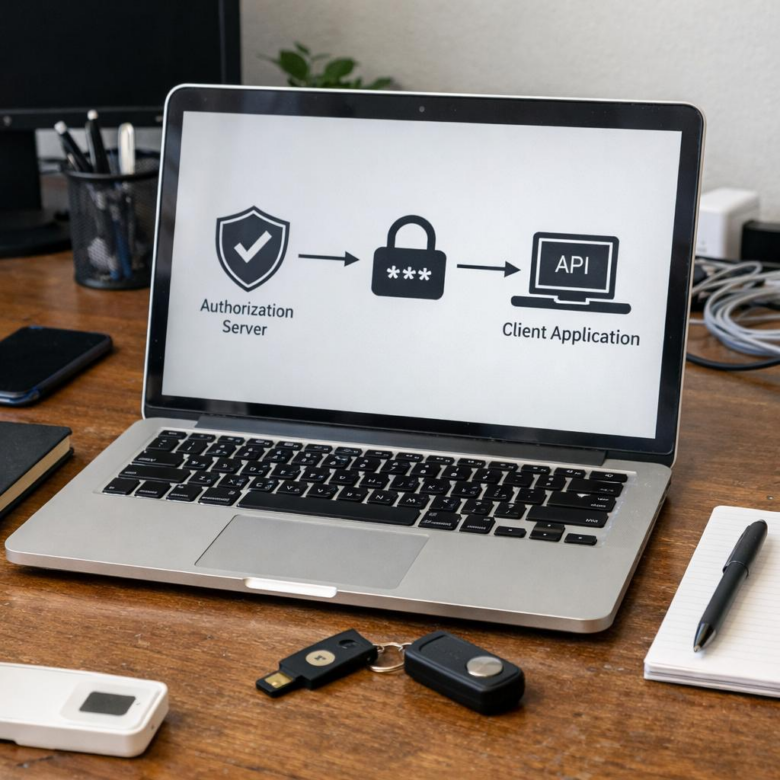
What happens when your OAuth “secret” is sitting in plain sight?
In mobile apps, SPAs, desktop clients, and other public environments, client secrets are not secrets at all-they can be extracted, copied, and abused.
Implementing OAuth 2.0 safely means designing flows that assume attackers can inspect the client, while still protecting users, tokens, and APIs.
This article explains how to avoid exposing client secrets by using patterns such as Authorization Code with PKCE, secure token handling, strict redirect validation, and backend-assisted authentication where it actually belongs.
Why OAuth 2.0 Client Secrets Are Risky in Public and Frontend Applications
OAuth 2.0 client secrets are designed for confidential applications, such as backend services running on a secure server. They become risky in public clients like single-page apps, mobile apps, desktop software, and browser-based frontend applications because users can inspect, extract, or reverse-engineer the code.
For example, if a React app stores a client secret in a JavaScript bundle, anyone can open DevTools, search the source files, and copy it. The same problem happens in mobile apps: even if the secret is “hidden,” tools can decompile an APK or inspect network traffic through a proxy like Burp Suite.
Once exposed, a client secret can be abused to impersonate the application, request tokens, or attack connected APIs. In real-world API security reviews, this often appears when teams move fast with services like Auth0, Okta, or cloud identity providers but accidentally treat a frontend app like a trusted backend.
- Public code is not a vault: environment variables in frontend builds are still shipped to the browser.
- Obfuscation is not security: it only slows attackers down, especially in mobile app security testing.
- Token abuse can be expensive: exposed credentials may lead to API overuse, cloud billing issues, or compliance concerns.
The practical rule is simple: never place OAuth client secrets in code that runs on a user’s device. Use Authorization Code Flow with PKCE for public clients, and keep secrets only in server-side applications, secure backend services, or managed authentication infrastructure.
How to Implement OAuth 2.0 Securely Using PKCE, Redirect URIs, and Token Exchange
For public clients like mobile apps, SPAs, and desktop software, use the Authorization Code Flow with PKCE instead of storing a client secret. Platforms such as Auth0, Okta, Microsoft Entra ID, and AWS Cognito support PKCE and make it easier to enforce API security, enterprise SSO, and compliance-friendly authentication without exposing sensitive credentials.
The practical setup is straightforward: generate a high-entropy code_verifier on the client, create a hashed code_challenge, and send the user to the authorization endpoint. After login, the authorization server returns a short-lived code to your registered redirect URI, and the client exchanges that code plus the original verifier for tokens.
- Use exact redirect URI matching; avoid wildcards in production.
- Store access tokens in memory where possible, not localStorage.
- Use refresh token rotation if long-lived sessions are required.
A real-world example: a React banking dashboard should redirect users to the identity provider, receive the authorization code at a fixed callback URL such as https://app.example.com/callback, then exchange it using PKCE. The app never needs a client secret, which reduces risk during browser inspection, source map leaks, or compromised frontend builds.
One detail teams often miss is redirect URI hygiene across environments. Keep separate OAuth clients for development, staging, and production so a test callback URL cannot accidentally receive production tokens. This small configuration habit improves cloud security posture and makes audits, incident response, and managed authentication costs easier to control.
Common OAuth 2.0 Mistakes That Expose Client Secrets-and How to Prevent Them
One of the most common mistakes is placing the OAuth client secret inside frontend code, mobile apps, or public GitHub repositories. A real-world pattern I have seen in audits is a React or Android app calling the token endpoint directly with a hardcoded secret, which means anyone can extract it using browser DevTools or an APK decompiler.
Another risky shortcut is using the wrong OAuth flow. Single-page apps and mobile applications should not use confidential client flows that require a stored secret; they should use Authorization Code Flow with PKCE instead. Platforms like Auth0, Okta, and Microsoft Entra ID support PKCE and make it easier to enforce secure authentication without exposing sensitive credentials.
- Do not store secrets in apps: keep client secrets only on trusted backend servers, API gateways, or secure cloud functions.
- Use a secrets manager: store credentials in tools such as AWS Secrets Manager, Azure Key Vault, or HashiCorp Vault instead of environment files committed to source control.
- Rotate and monitor secrets: enable logging, alerting, and automated secret scanning with tools like GitHub Advanced Security or GitLab secret detection.
Poor redirect URI validation is another quiet problem. If your OAuth provider allows wildcard redirects or unverified domains, attackers may capture authorization codes and exchange them for tokens. Lock redirect URIs to exact HTTPS URLs, especially in banking apps, SaaS dashboards, healthcare portals, and payment processing systems where account takeover costs can be significant.
Finally, avoid logging access tokens, refresh tokens, or authorization codes in application logs. This often happens during debugging in production. Treat OAuth credentials like passwords: minimize exposure, encrypt storage, restrict access, and review permissions regularly.
The Bottom Line on How to Implement OAuth 2.0 Without Exposing Client Secrets
Implementing OAuth 2.0 securely is less about hiding secrets and more about choosing flows that match the client’s trust level. Public clients should never depend on embedded credentials; use Authorization Code with PKCE, strict redirect URI validation, short-lived tokens, and secure token storage instead. If a client secret is required, keep it only on a trusted backend or confidential service. The practical decision is simple: if users can inspect, download, or decompile the application, assume the secret is exposed. Design the architecture so security does not rely on keeping that secret private.