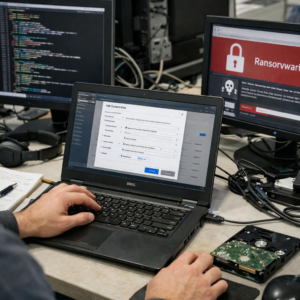
Your Windows endpoints may already be holding the keys to your entire network.
Credential dumping turns a single compromised machine into a launchpad for privilege escalation, lateral movement, and domain-wide takeover.
Attackers don’t need noisy exploits when passwords, hashes, Kerberos tickets, and cached secrets are exposed through LSASS, memory, registry hives, or misconfigured defenses.
This guide breaks down practical hardening measures that reduce credential exposure, disrupt common dumping techniques, and make Windows endpoints far less useful to intruders.
What Makes Windows Credentials Vulnerable to Dumping Attacks
Windows credentials become vulnerable when endpoints store reusable secrets in places attackers can access after gaining local admin or SYSTEM-level privileges. The most targeted areas are LSASS memory, cached domain logons, NTLM hashes, Kerberos tickets, and saved browser or application passwords.
In real environments, the issue is often not “weak passwords” alone. I’ve seen credential exposure happen because a helpdesk admin logged into an infected workstation to troubleshoot it, unknowingly leaving privileged credentials available for tools that security platforms like Microsoft Defender for Endpoint are designed to detect and block.
Common risk factors include:
- Users with local administrator rights on laptops and shared workstations.
- Legacy authentication such as NTLM, cached credentials, or unconstrained delegation.
- Poor endpoint security coverage, missing EDR alerts, or outdated Windows security baselines.
Credential dumping is especially dangerous because attackers do not always need the clear-text password. A stolen hash or Kerberos ticket can be enough for lateral movement, privilege escalation, and access to business systems such as Microsoft 365, VPN services, file servers, or remote desktop environments.
The practical takeaway is simple: any endpoint that stores high-value credentials should be treated as a sensitive asset. Hardening Windows endpoints requires reducing credential exposure, limiting admin sessions, enforcing least privilege, and using endpoint detection and response tools that monitor suspicious access to LSASS and authentication-related processes.
How to Harden LSASS, Credential Guard, and Privileged Access Controls
Start by reducing what LSASS can expose. Enable LSASS protection by setting RunAsPPL, then validate it with Event Viewer or Microsoft Defender for Endpoint. In real deployments, I’ve seen credential dumping attempts fail simply because attackers could no longer open LSASS with tools like Mimikatz after Protected Process Light was enforced.
Next, enable Windows Defender Credential Guard on supported Windows 10, Windows 11, and Windows Server devices. It uses virtualization-based security to isolate secrets from the normal operating system, which is especially valuable for laptops, administrators’ workstations, and shared engineering machines. Before rollout, confirm hardware support for TPM, Secure Boot, and virtualization features to avoid help desk noise and deployment delays.
- Use Group Policy or Microsoft Intune to enforce Credential Guard and LSASS protection consistently.
- Remove local admin rights from standard users and use just-in-time access through tools such as Microsoft Entra Privileged Identity Management.
- Separate admin accounts from daily-use accounts, especially for domain admins and IT support staff.
Privileged access controls matter because LSASS hardening alone will not stop every credential theft path. Use tiered administration: domain admin accounts should never sign in to regular workstations, email, browsers, or remote support tools. A practical example is creating dedicated privileged access workstations for Active Directory, Microsoft 365, and endpoint security administration.
Finally, monitor for suspicious LSASS access, unusual admin logons, and credential theft behavior using endpoint detection and response software. Pair technical controls with regular access reviews, because stale admin accounts remain one of the easiest ways attackers turn one compromised endpoint into a full network breach.
Common Windows Endpoint Hardening Mistakes That Leave Credentials Exposed
One of the biggest mistakes is assuming antivirus alone can stop credential dumping. Traditional endpoint protection may block known malware, but tools like Mimikatz, living-off-the-land binaries, and stolen admin tools often abuse legitimate Windows features. In real environments, I often see companies paying for Microsoft Defender for Endpoint or another EDR platform but leaving critical attack surface reduction rules in audit mode for months.
Another common gap is allowing local administrator reuse across laptops and workstations. If the same local admin password exists on multiple devices, one compromised endpoint can become a shortcut to the entire network. Windows LAPS or Microsoft Entra LAPS should be treated as a baseline control, not an optional upgrade.
- Leaving LSASS unprotected: Credential Guard, RunAsPPL, and proper EDR policies reduce direct memory scraping risk.
- Over-permissioned helpdesk accounts: Daily-use admin accounts should be separated from standard user accounts and protected with MFA.
- Ignoring cached credentials: Remote workers, VPN users, and shared devices need stricter sign-in and session controls.
A practical example: a finance employee’s laptop gets infected through a phishing attachment, but the real damage happens because a domain admin previously logged into that same machine for “quick troubleshooting.” That single shortcut can expose high-value credentials and turn a device incident into an Active Directory compromise.
Hardening works best when endpoint security, privileged access management, patch management, and security monitoring are handled together. Buying premium cybersecurity software helps, but misconfiguration is still where many credential theft incidents begin.
Expert Verdict on Best Practices for Hardening Windows Endpoints Against Credential Dumping
Credential dumping is best treated as a resilience problem, not a single-control problem. The most effective endpoint strategy combines reduced credential exposure, hardened authentication paths, strong monitoring, and fast response. Prioritize controls that limit attacker reuse of credentials: disable unnecessary legacy authentication, protect LSASS, enforce least privilege, and deploy endpoint detection with tested alert workflows.
The practical decision point is simple: focus first on changes that reduce blast radius and improve detection quality. If a control cannot be measured, validated, or maintained, it will not hold under real attack conditions. Harden continuously, test regularly, and assume credentials are always a primary target.